So You Want to Rent a Car Through Costco Travel? Here’s What You Actually Need to Know

Not an official Costco publication — just one traveler’s honest breakdown of how the service actually works. Always double-check current rates and terms on Costco Travel’s site before you book.
Costco Car Rental Travel
I’ll be honest — the first time someone told me to book a rental car through Costco Travel car rental instead of just going straight to Enterprise or Avis, I figured it was one of those “membership perks” that sounds good but doesn’t really move the needle. It’s not. Once you actually use it a few times, you start to notice how much friction it removes from a process that’s usually kind of a headache.
Here’s the rundown, from someone who’s booked through it more times than I can count at this point.
It’s Not a Rental Company — It’s More Like a Middleman That Actually Works in Your Favor
Costco Travel doesn’t own any cars. What it does is negotiate rates with four companies — Alamo, Avis, Budget, and Enterprise — using the leverage of having millions of members. That’s basically it. You’re still renting from one of those four names, but you’re paying a rate Costco negotiated on your behalf, and you get a few perks tacked on that you wouldn’t get booking directly.
Why only four brands and not twenty? Consistency, mostly. Costco Travel car rental could list every discount rental company out there, but then you’d be back to rolling the dice on quality. Sticking to four known names means you generally know what you’re getting.

What Actually Makes This Worth Doing
The price comparison tool is genuinely useful. It pulls rates from all four partners at once and shows you the best one in each vehicle category, so you’re not opening four browser tabs to compare economy car prices yourself.
The second driver is usually free. This one’s easy to overlook until you actually add a second driver at a normal rental counter and see the $10-15/day charge. On most Costco car rental bookings in the US and Canada, that fee just isn’t there. Splitting a week-long road trip with someone? That’s real money back in your pocket.
You can back out without getting burned. Most bookings are pay-at-the-counter, which means you’re not charged anything until you actually show up for the car. Practically speaking, that means you can cancel right up until pickup and not lose a dime. Plans change — flights get moved, trips get cancelled — and it’s nice not having to think about a cancellation fee eating into a refund.
The price you see is the price you pay. No “starting at” pricing that turns into something else once taxes and fees get added. What’s on the screen at checkout is the total.
Alamo, Avis, Budget, or Enterprise — Which One Should You Pick?
| Alamo | Enterprise | Avis | Budget | |
| Good fit for | Families, leisure trips | People who want a more personal counter experience | Business travelers, tech-comfortable renters | Anyone mainly chasing value |
| Pickup experience | Often self-select from the lot | Full-service counter | Kiosk or app check-in | Mix of kiosk and counter |
| Member perk | Free extra driver | Free extra driver | Discounted GPS | Discounted GPS |
| Where you’ll find them | Mostly major airports | Airports and neighborhood branches | Airports, strong internationally | Widest overall network |
None of these is objectively “the best” — it really depends what you care about. If you want a no-fuss counter experience, Enterprise tends to deliver. If you’re comfortable skipping the line with an app, Avis works well.
Booking One, Step by Step
Nothing complicated here, but a couple of things trip people up the first time:
Log into your Costco Travel car rental account, punch in your pickup location and dates, then just look at the grid of results. Every number you see already has taxes and fees baked in, so don’t expect a surprise later. Pick your car, and — this is the part people don’t expect — you usually won’t be asked for a credit card number until you’re standing at the counter. Just your name and contact info to hold the reservation.
One thing I always do: if my schedule has any wiggle room, I’ll try adjusting the pickup time by an hour or two and see if the price shifts. Sometimes it does, sometimes it doesn’t, but it costs nothing to check.
Changing or Cancelling a Reservation
This is where people get pleasantly surprised. Go to “My Trips” in your account, and you can change the dates, location, or car class directly — no phone call required in most cases. Since you haven’t actually paid anything yet, changes usually don’t come with a penalty, unless you’re right up against the rental company’s own cutoff window for changes.
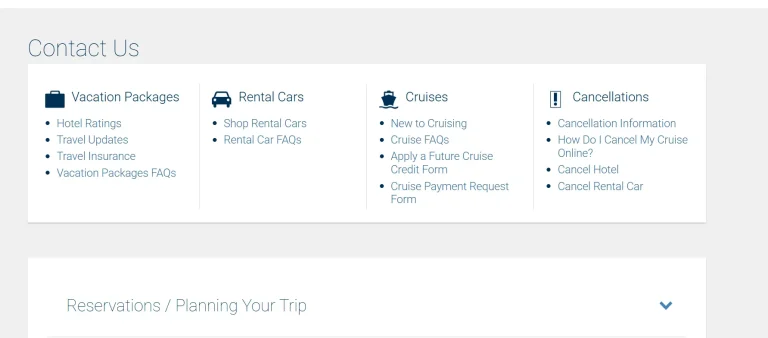
Cancelling works the same way. Because payment happens at the counter, not at booking, you can cancel from your account with no fee, right up until your pickup time. If something’s not working through the website for whatever reason, calling the Costco Travel rental car customer service line directly usually sorts it out — the number’s listed on their site under Contact Us, and it’s worth grabbing it from there since it can vary depending on your region.
The Insurance Question (Where Most Beginners Get Confused)
Here’s the part that trips people up more than anything else: the price you see when booking does not include collision damage waiver or loss damage waiver coverage. That’s still an add-on you’ll be offered at the counter, same as any other rental.
So does Costco cover you some other way? For a lot of members, yes — just not directly through Costco Travel itself. If you’re paying with a card like the Costco Anywhere Visa by Citi, it comes with built-in rental car coverage worldwide, which is often enough that people skip buying the counter’s coverage altogether. Worth actually reading your card’s benefits guide rather than assuming, though — coverage details differ by card and by rental location.
Also — bring an actual credit card in the driver’s name. Debit cards sometimes work but usually come with a bigger deposit hold or a requirement to show a return flight.
Is Paying for Executive Membership Worth It Just for This?
If you’re already a Gold Star or Business member, you get the negotiated rates and the free extra driver without doing anything special. Executive members get one more thing on top: a 2% reward on the non-taxable part of what you spend on car rentals each year. If you rent a handful of times a year, that reward alone can chip away at what you paid for the upgraded membership.
Before You Drive Off the Lot
A few habits worth building:
Quick Answers to the Stuff People Usually Google
Does Costco Travel rental car pricing include insurance? No — CDW/LDW is optional and priced separately at the counter.
What’s the phone number for Costco Travel? It’s listed on their official site under Contact Us — check there directly since it can differ by region.
Can I change a booking after I’ve made it? Yes, through “My Trips” in your account, usually with no fee attached.
What’s the cancellation policy? Since most bookings are pay-at-counter, you can cancel free any time before pickup.
Is it actually cheaper than booking direct? Not always on the sticker price, but once you factor in the free extra driver and zero cancellation risk, it’s usually the better deal overall.
Conclusion
I keep coming back to Costco Travel for rentals mainly because I know what I’m getting — no games with the pricing, no fee for a second driver, and the option to walk away if plans change. It’s not flashy, but it does what it’s supposed to do. If you haven’t tried it yet, it’s worth pulling up next to whatever you’d normally book directly and just comparing the two side by side.